Overview
Finding and Adding Pursuits
Find Opportunities
BBA has many tools to help to identify potential opportunities.
Adding Automatically
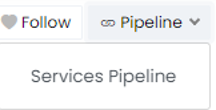
You can automatically create new pursuits from Federal and State and Local Contract Opportunity, Forecast Opportunity, DIBBS Opportunity, Grant Opportunity, SBIR Opportunity, IDV Award, Prime Contract Award, and Prime Grant Award pages by selecting the Pipeline dropdown in the upper right of the page and selecting the pipeline you want to add the opportunity to. This will create a new pursuit and autofill any available information from the opportunity or award.
Once you have created a pursuit automatically you can further edit the pursuit by going to Business Development --> Pursuits in the sidebar (or clicking here) and selecting the pursuit.
Adding Pursuit Manually
You can manually create a new pursuit by selecting Business Development --> Pursuits --> [+] on the sidebar or clicking here. You will then be prompted to enter the key pursuit information.
Managing Pursuits
Editing Pursuit Details
Once you have created a pursuit, you can edit it by opening it from the Pursuit search page and changing any of the pursuit details. From this page you can also link new opportunities or awards to the pursuit, add contacts, link other pursuits, upload documents, and track notes.
Alternatively, you can also filter and edit key pursuit information in bulk by selecting Business Development --> Pipelines on the sidebar. From this page you can filter the displayed information by Pipeline or Owner and further filter by Stage as well as pursuits Past Due, Due Soon, and Stale.
Managing Activities
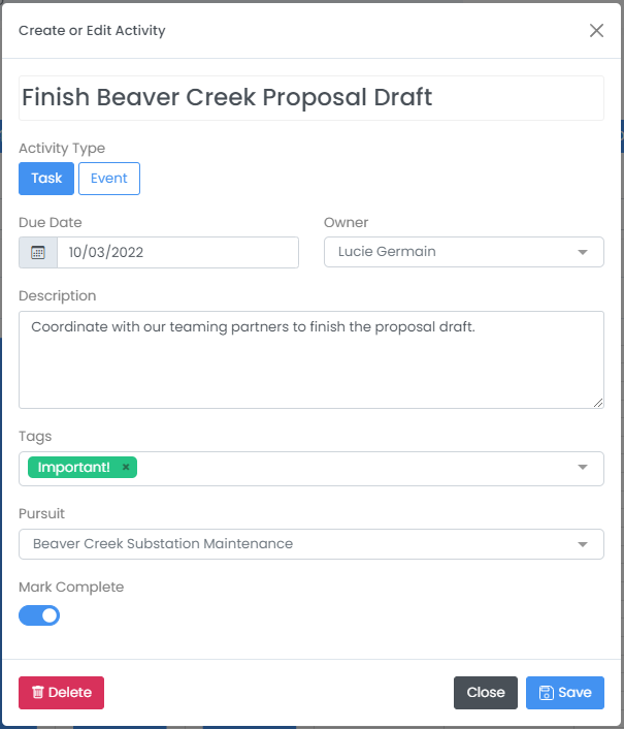
You can further manage pursuits by adding Activities to each pursuit either directly on the pursuit page or by selecting Business Development --> Activities --> [+] on the sidebar.
For each activity, you can add a Title, Activity Type, Due Date, Owner, Description, Tags, and assign the Activity to any Pursuit. You can view all of your team's activities by going to activity search under Business Development --> Activities in the sidebar or reviewing the calendars on your Dashboard or on the Pipeline Review page. From these pages you can also edit Activities at any time.