
BBA’s Proposal Generator is an advanced one-click tool for creating high quality opportunity-specific proposal drafts with minimal configuration. It leverages BBA’s extensive market intelligence database, opportunity documents, and company context to generate structured drafts that you can review, edit, and export.
Proposal Generation is available on Federal Opportunity pages and State & Local Opportunity pages.
Creating a proposal draft
You can start proposal generation from the Opportunity Assistant in the bottom-right corner of an opportunity page or from the generation options directly on the opportunity page.
Depending on the opportunity type, available documents, and opportunity stage, available draft options may include:
- Sources Sought: Draft a response highlighting your company’s capabilities and relevant experience against the agency’s stated needs.
- Compliance Matrix: Generate an Excel workbook organizing proposal requirements, submission instructions, and evaluation criteria.
- Proposal Outline: Create a detailed outline structured around the solicitation’s instructions and requirements.
- Full Proposal: Generate a proposal draft using opportunity requirements and available company context.
- Labor Pricing: Generate an editable Excel workbook with labor categories, hours, and comparable benchmarks.
- Sole Source Response: Draft a response addressing the agency’s sole-source justification and explaining your company’s ability to perform the work.
Customize Generation
After selecting a draft option, the Customize Generation window opens.
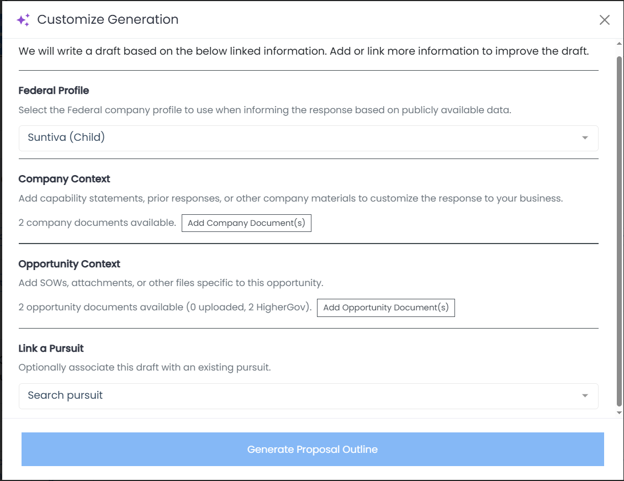
This screen lets you confirm or add the information BBA should use to generate the draft. The generator uses the selected context to create a stronger, more relevant proposal based on the opportunity requirements and your company’s capabilities.
Federal Profile
For Federal opportunities, you can link a related Federal Profile within BBA.
This allows the generator to use publicly disclosed information including capability statements, awards, contracting vehicles, certifications, and a SAM registration when drafting the response.
Company Context
Company Context includes documents and information about your business. Selecting the Add Company Document(s) section will open the Document Library where you can add relevant documents.
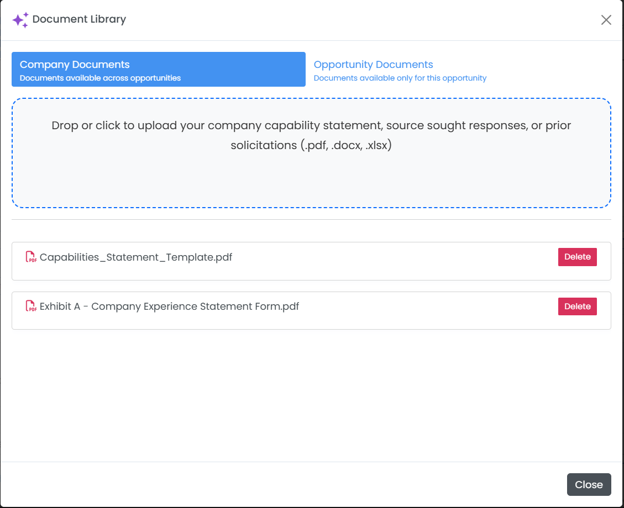
While not strictly necessary, we strongly encourage you to add relevant company documents before generating a draft. These materials help the generator tailor a winning proposal to your company’s capabilities, past experience, differentiators, and technical approach.
Examples of useful company documents include:
- Capability statements
- Sources sought responses
- White papers
- Prior solicitation responses
- Past performance summaries
- Product or service descriptions
- Technical approach examples
- Certifications or qualification materials
Company Context may include documents already available in BBA as well as any additional company documents you choose to upload.
Opportunity Context
Opportunity Context includes documents specific to the opportunity. Selecting the Opportunity Document(s) section will open the Document Library where you can add relevant documents.
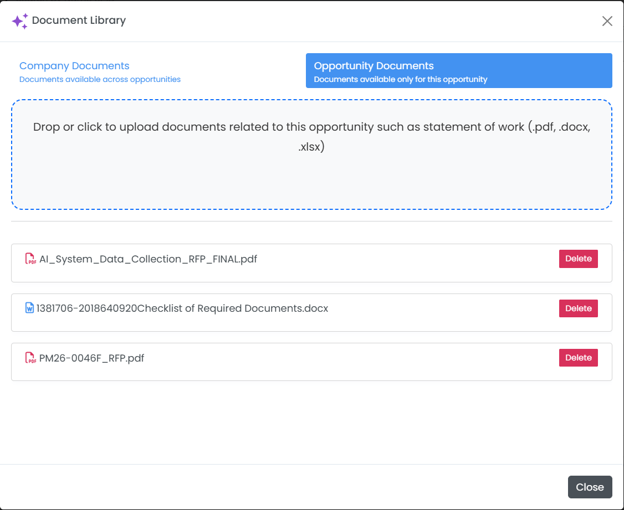
If an opportunity document is already available in BBA, you do not need to upload it again. If you have additional opportunity-specific documents that are not already in BBA, you can add them before generating.
For State & Local opportunities, if documents are not already available, you may also be able to Request Documents from the opportunity page.
Link a Pursuit
You can optionally link the generated draft to an existing Pursuit.
This associates the proposal draft with an opportunity you are already tracking in your pipeline and helps keep proposal work connected to the related pursuit record.
Generate the draft
Once the relevant information is selected, press the Generate button to generate the draft.
BBA will create the proposal using the opportunity documents, BBA market intelligence, selected company context, linked Federal Profile when applicable, and any additional information you provided.
When the draft is ready, you will receive an email notification. Drafts are typically ready in 3–5 minutes.
Exporting a proposal
Use the Export dropdown in the proposal editor to download the proposal.
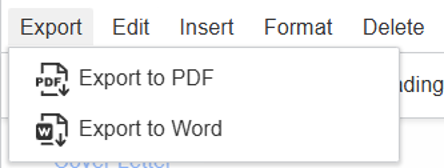
Available export formats include:
- Word
Use Word if you want to continue editing offline or incorporate the draft into your own proposal template. Use PDF when you need a fixed-format version for review or sharing.
Editing a proposal
Generated proposals open in an on-page editor.
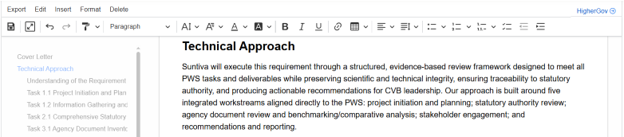
You can edit the proposal directly in the browser, including revising text, adding or removing sections, adjusting formatting, editing lists or tables, and adding supporting details.
An outline appears on the left side of the editor. The outline is generated from the proposal’s Heading 2 and Heading 3 sections, making it easier to navigate longer drafts.
The editor also includes a full-screen option, which can be helpful when reviewing or editing larger proposals.